Smartphone or Camera? 6 Situations When a Smartphone Doesn’t Cut It

Today’s smartphones can take surprisingly high-quality photos. But as soon as the lighting conditions worsen, the subject starts moving, or you want a naturally blurred background, their limitations become apparent. Find out in which situations a traditional camera still has the edge and when your smartphone can do the job just as well.
In this article, you’ll learn:
- Why your smartphone automatically performs exposure bracketing and what it means for your photos.
- How a smartphone performs at night and in backlight.
- The difference between actual and computational depth of field.
- Why a smartphone struggles when photographing fast motion.
- When RAW format, color consistency, and print quality matter.
In the article, Smartphone or Camera? When to Shoot with Your Phone and When a Camera Is the Better Choice, we focused on the benefits of smartphone photography. This time, we focus on situations where your phone might let you down. I also demonstrate why a traditional camera still offers much greater reliability and freedom, especially in challenging conditions.
Today, smartphones and cameras are comparable tools in many ways. Yet, each has its own specific characteristics. Even the smartest technology will sooner or later run up against limits set by physics. If you want to take your photography to the next level, it’s good to know where the convenience of a screen ends and where high-quality optics with a large sensor offer possibilities that software simply can’t match.
Smartphone photography in poor light
With plenty of light, like in broad daylight, the differences between a camera and smartphone are minimal. Many smartphones use computational photography to handle high-contrast scenes even better than a camera in automatic mode. This is because the phone automatically performs extensive exposure bracketing. That is, it rapidly captures a series of images with different exposures and combines them into a single image.
On iPhones, you can’t completely turn this off. You can only partially override it by manually selecting the focus and exposure (AF/AE), but even then, the final image remains beyond the user’s control. This can be limiting for a photographer with a specific creative vision.


The biggest difference between a camera and a smartphone happens when you face challenging lighting conditions.
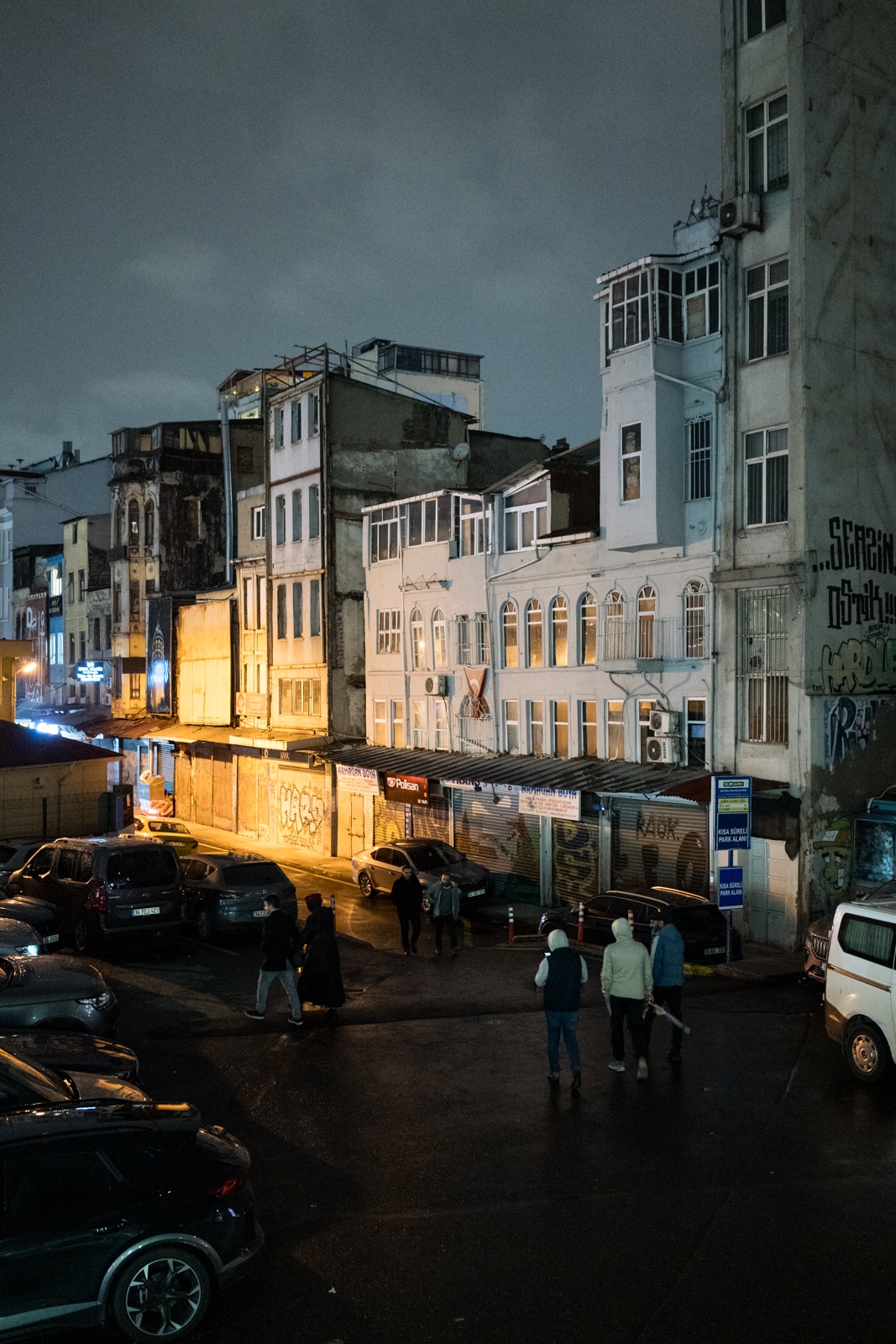

You virtually can’t capture motion at night with a smartphone, since it automatically uses a longer shutter speed and bracketing to reduce noise, leaving you no way to influence the result. The shots may look similar at first glance, but as soon as you view the photo on a larger screen, you can see a massive difference in detail, let alone if you print it out. Shot on a Sony a7c + 35mm and iPhone 13 Pro. © Jan Prokopius
Even in low light and backlight, the smartphone reaches its limits. The small sensor and aggressive software try to smooth out digital noise, which often results in a blurry appearance where fine details blend into illegible areas. In contrast, a camera with a large sensor excels at accurate color depth and rendering realistic details.

Actual vs. computational depth of field
Smartphone bokeh is generated by a mathematical algorithm. It often makes mistakes with hair, glasses, or the gaps between the arms and body. The artificial blurring usually doesn’t take the distance of objects from the lens into account—everything behind the subject is blurred equally. Even though phones boast great aperture values on paper, due to their miniature sensors, they can never achieve as shallow a natural depth of field as a camera.


In these two unedited photos taken from a similar location, we can clearly see the difference in detail and overall image quality between a Samsung Galaxy S23 (left) and a Sony A7 III mirrorless camera with a 28–70 mm lens (right).
Capturing motion
Motion is one of the biggest challenges in photography. When it comes to truly fast-paced action, like sports or children playing, smartphones are limited by shutter lag. Even the fastest phones have a slight delay before the actual exposure, again due to exposure bracketing.
Cameras, especially modern mirrorless cameras with predictive autofocus, allow you to anticipate movement. The ability to track the eye of a running dog or keep a cyclist in constant focus is a discipline where the camera still reigns supreme. Furthermore, the physical buttons on your camera let you adjust settings using muscle memory, speeding up your workflow. This is especially important in photojournalism.


Shot on a Sony a7c + 85 mm and Sony a9 + 35 mm. © Jan Prokopius
Post-production
There’s also a fundamental difference in what happens after you press the shutter button. Think of smartphone photos as ready-to-eat meals: the phone does all the work for you by evening out the shadows, enhancing colors, and sharpening the scene so the photo is immediately ready to share.


When I want to share photos quickly on social media or send them to family while traveling, and they aren’t a part of a larger series, shooting primarily with my smartphone saves time. Shot on a Samsung Galaxy S23. © Ester Dobiášová
Some find it boring because you give up creative control. RAW format requires deliberate post-production. While this approach takes more time, it lets you work with a wide range of light and color data without losing quality. Cameras can also produce great JPEG images. But you usually need an app that connects your camera with your phone to instantly share them with others.


Editing this photo in RAW would take an unnecessary amount of time. The photo from my smartphone is enough for a travel shot. Shot on a Samsung Galaxy S23 (left) and Sony A7 III with a 28–70mm lens (right). © Ester Dobiášová
When you want more than a photo for your screen
Don’t worry about megapixels and resolution if you’re only shooting for Instagram. But if you plan to print in large format, the resolution and clarity of RAW data from a camera are essential for preserving fine details.


An example of the drawbacks of a smartphone, where automatic mode processed consecutive shots using entirely different color profiles, even though they were taken right after one another. Shot on an iPhone 13 Pro. © Jan Prokopius
For long-term documentary photo series, consistency is key. Mobile software changes with every system update, altering color rendering and disrupting the cohesiveness of a series. A photo taken with the same smartphone in January may have completely different color characteristics, contrast, and skin tones than a photo taken in December.

Then there are those subjects where you simply can’t do without precise control over the shutter speed. Long exposures of flowing water that transform into a silky veil, capturing star trails in the night sky, or panning—where you track a running horse so that the background creates dynamic streaks—are all much easier with a camera, yielding vastly superior results.
Comparison at a glance
To help you make the right choice right away, here is a comparison of key technical specifications.
| Specification | Smartphone | Camera |
| Image quality in poor light | ⭐⭐ | ⭐⭐⭐⭐⭐ |
| Bokeh and depth of field | ⭐⭐ | ⭐⭐⭐⭐⭐ |
| Motion photography (sports, action) | ⭐⭐ | ⭐⭐⭐⭐⭐ |
| Creative control (RAW, manual mode) | ⭐⭐ | ⭐⭐⭐⭐⭐ |
| Color consistency | ⭐ | ⭐⭐⭐⭐⭐ |
| Physical feel and ergonomics | ⭐ | ⭐⭐⭐⭐⭐ |
| Suitability for large-format printing | ⭐ | ⭐⭐⭐⭐⭐ |
Don’t limit yourself
There are distinct differences between a smartphone and a camera, but ultimately, what matters most isn’t whether you’re holding the latest smartphone or a professional mirrorless camera. It’s whether you can leverage their strengths to achieve your creative vision. Shoot with whatever works for you, but be sure to shoot with intention.
FAQs
Why doesn’t a smartphone perform well in low light?
A small sensor and aggressive software try to minimize digital noise, which often leads to a blurry look where fine details blend into unreadable areas. A camera with a large sensor performs significantly better in low light, both in terms of color accuracy and rendering of real-life details.
Is a blurred background from a smartphone the same as from a camera?
No. Smartphone bokeh is a mathematical algorithm that often makes mistakes with hair, glasses, or in the negative space between arms and bodies. Furthermore, the artificial blurring doesn’t account for object distance, so everything behind the subject is blurred equally. Due to its small sensor, a smartphone can never achieve as shallow a natural depth of field as a camera.
Why are smartphones worse at capturing motion?
When dealing with fast-paced action like sports or playing children, smartphones suffer from shutter lag because they capture a series of shots before the actual exposure for computational processing. A modern mirrorless camera with predictive autofocus can track the eye of a running dog or keep a fast-moving cyclist in sharp focus.
When is a smartphone enough, and when is a camera better?
A smartphone is ideal for quick sharing on social media or casual snapshots when traveling, when photos aren’t a part of a larger series. A camera is invaluable for large-format printing, working with RAW format, long exposures, or consistent results across a long-term documentary series.
Why do the colors from a smartphone vary from one photo to the next?
Auto mode can process each photo differently in terms of color balance, even if they’re taken right after one another. Plus, mobile software changes with every system update, so a photo from January might exhibit completely different colors, contrast, and skin tones than one taken in December.