Edit in a Minute: How to Fix a Backlit Photo
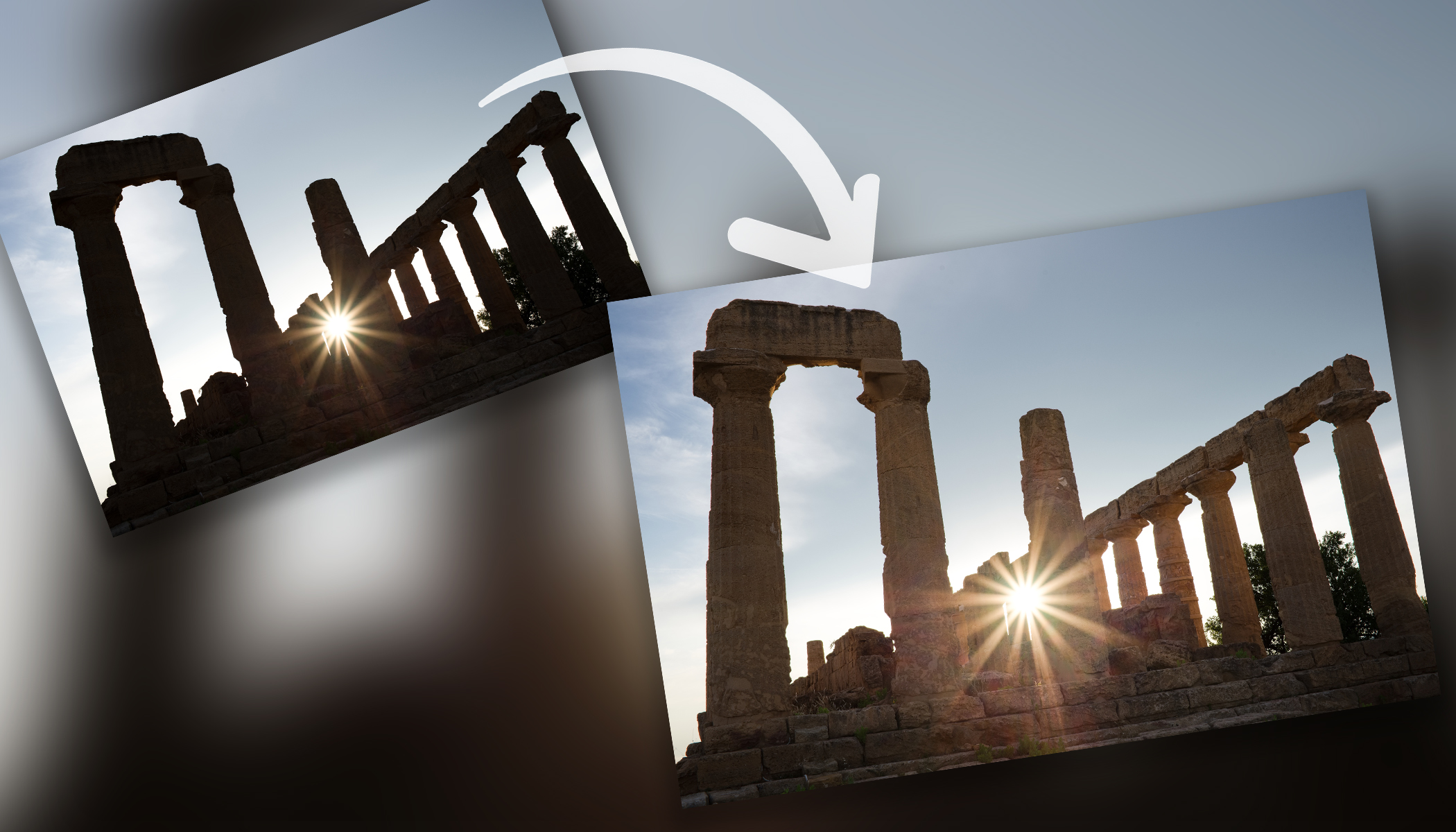
A backlit photo often ends up with a dark foreground and overexposed background. The subject or landscape is in shadow, the sky lacks detail, and the image looks unbalanced. The good news is that with just a few adjustments, the photo can look significantly better. Let’s see how to quickly fix it in Zoner Studio.
A few steps in the Develop module are enough to recover detail in both shadows and highlights. The key is working with dynamic range and balancing the difference between dark and bright areas. Shooting in RAW is also very important. In this guide, we’ll show you how to correct a backlit photo in just one minute.
Browse through the gallery with photos where each step is clearly described, or read more detailed information below the gallery. If you don’t have Zoner Studio yet but want to try this edit, download it free for 7 days. Even complete beginners can handle this edit.


How to Fix a Backlit Photo in Zoner Studio
Bring out detail in the shadows
The main issue with backlit photos is usually a dark foreground. Start by increasing Shadows. This brightens the subject or foreground and restores detail. Be careful not to overdo it—too bright shadows look unnatural and lose depth.
Reduce highlights in the background
The background is often too bright, sometimes completely blown out. By lowering Lights, you can recover detail in the brightest areas. This restores structure in the sky or around light sources. The image becomes more balanced and natural.
Clipping highlights is a common issue not only in backlit scenes. Learn how to prevent it while shooting in the article Avoid Blowouts in Photos: Tips for Proper Exposure and Adjustments.
Fine-tune contrast
After adjusting shadows and lights, the image may look flat. In that case, adjust the White Point and Black Point. Slightly move the White Point to the right and the Black Point to the left. This restores contrast while preserving detail. You may also find the Clarity and Dehaze sliders useful.
Focus on the main subject
If the main subject is still too dark, use local adjustments. Use tools from Local Adjustments (L). A radial or linear gradient can work well, or you can use an AI mask such as Subject. It automatically selects the main subject so you can simply brighten it.
This helps separate the subject from the background without affecting the rest of the image.
What to remember
Fixing a backlit photo in Zoner Studio mainly involves brightening Shadows and reducing Lights, balancing the difference between a dark foreground and a bright background. Finally, adjust the White Point and Black Point, and use local adjustments to enhance the main subject.
With these steps, you can significantly improve a backlit photo in just one minute and restore natural contrast and detail.
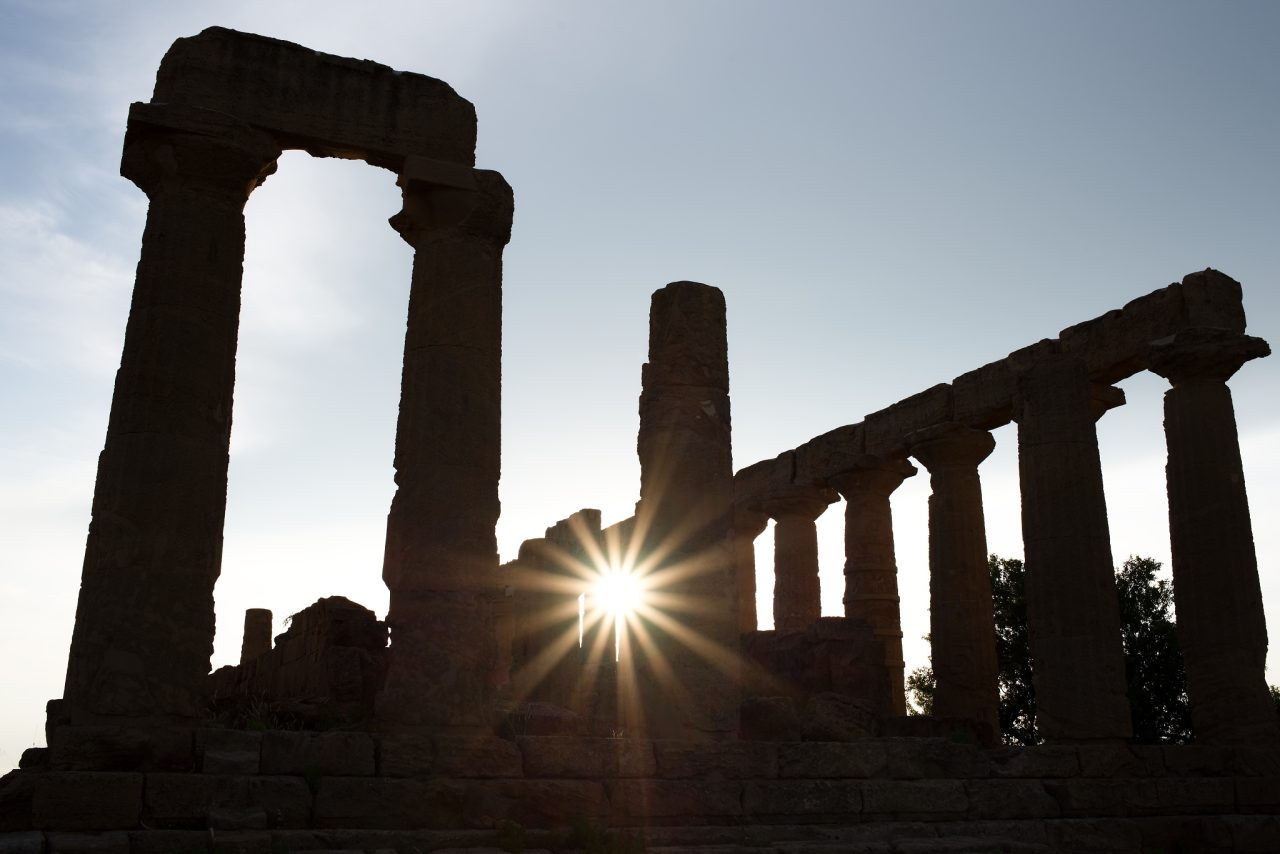
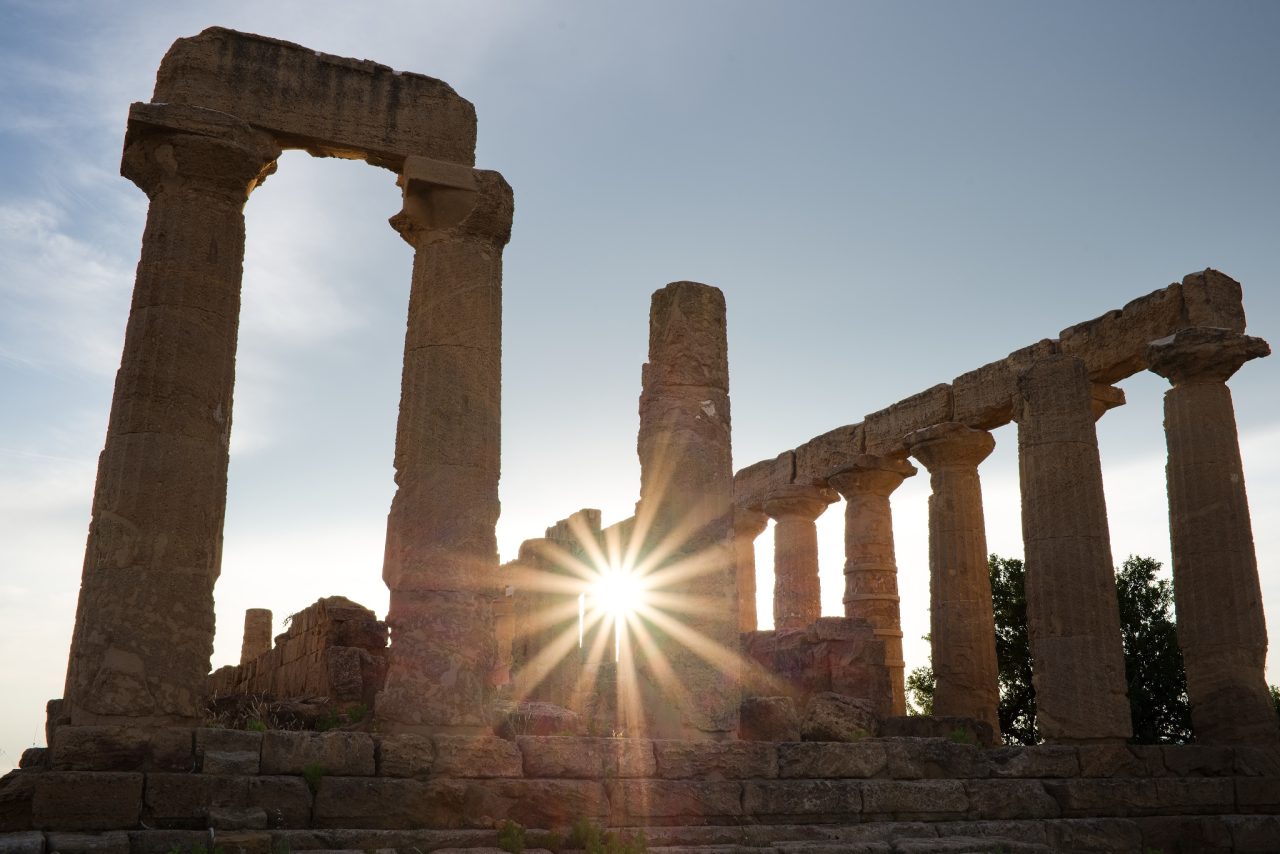
Before and after edits.