

Zoner Studio Summer Update: Less Hassle, More Photography
The latest version of Zoner Studio tackles the challenges photographers face every day. New photo stacking options, more accurate handling of photo series, faster search capabilities, and simpler retouching help streamline your workflow. Spend less time organizing photos and switching between tools, and more time focusing on the creative side of photography.
New Features Overview:
- Photo Stacking—new Focus Stacking, Long Exposure, Remove Moving Objects, and improved Panorama and Exposure Bracketing
- Smarter workflow for photo series—Autostack better recognizes panoramas, exposure bracketing, and bursts, and prepares them for further editing
- New Search—faster filtering and work with metadata, even for large photo libraries
- Smart Healing—easily remove blemishes and distractions
- Music Library for video—over 500 tracks right in the Video module
- Color processing adjustments—more consistent color tool behavior
Most photographers have been there. You take a series of shots because one photo just isn’t enough—focus stacking for greater depth of field, exposure bracketing for dynamic range, panorama for a wider angle of view, and other techniques. But then comes the less fun part—sorting, stitching, and often switching between multiple programs.
That’s exactly the focus of the Zoner Studio Summer Update. We didn’t add dozens of flashy new features you’ll use once a year. Instead, we added tools that address common situations when working with photos and speeds up the process from import to finished product.
The biggest update is the completely redesigned workflow for photo series.
One scene, multiple shots, one final image
Taking a series of photos is nothing out of the ordinary. Landscape photographers stack exposures to capture a wider dynamic range, macro photographers shoot multiple focus planes, and travelers come home with panoramas or shots of crowded tourist destinations they want to clean up by stacking exposures.
You can handle all these situations in Zoner Studio.
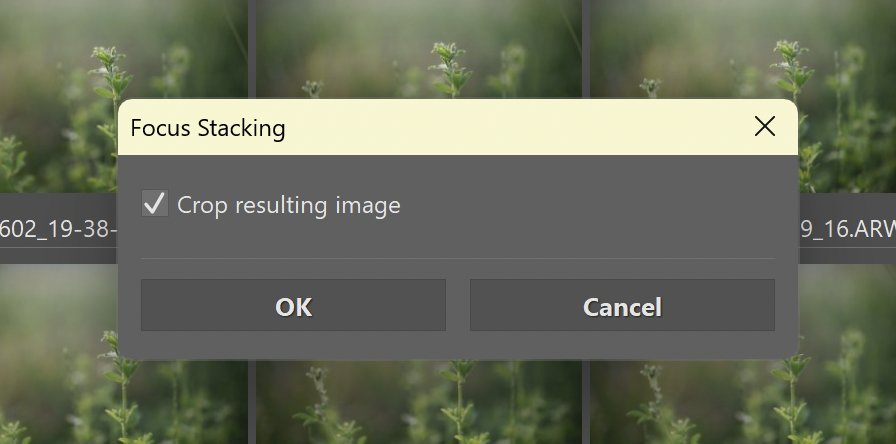
For the first time, we added Focus Stacking, which allows you to combine several photos with different focus points into a single, pin-sharp image. It’s sure to come in handy for anyone who shoots macro, product photography, or fine details—where a single photo isn’t enough.
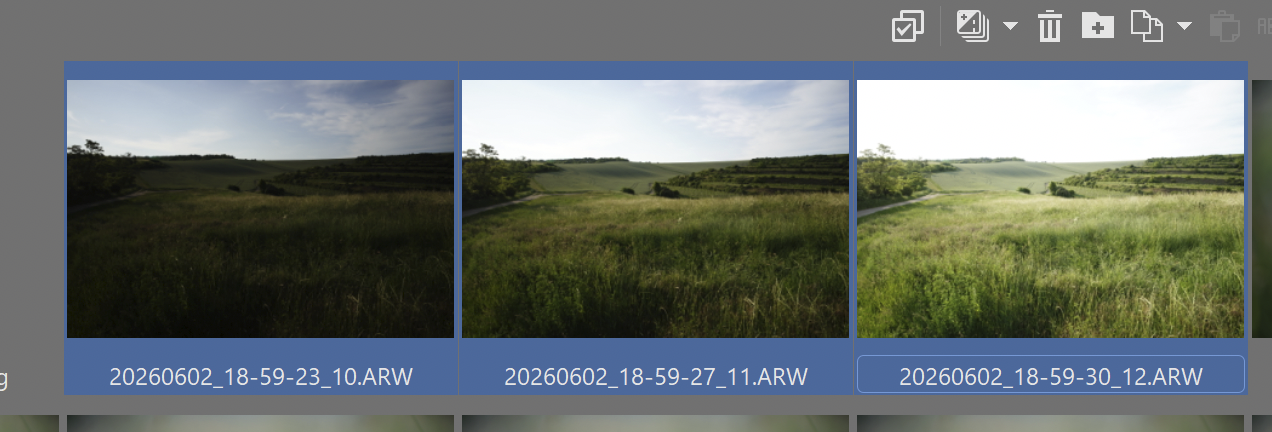
Exposure Bracketing has also undergone significant changes. Instead of an exaggerated HDR effect, it focuses on a natural look and provides more room for further adjustments. When shooting sunsets, interiors, or high-contrast landscapes, you can capture more detail in both the highlights and shadows without unnecessary compromises.
We also completely redesigned Panorama. The new methods handle perspective and distortion better, not only for landscapes but also for architecture and interiors.

Long Exposure simulation has also been added. Take a series of shots, and Zoner Studio creates an effect that would otherwise require a tripod and often an ND filter. The new option to Remove Moving Objects works in a similar way. A series of photos is combined into a single clean scene free of tourists, cars, and other distractions. You can also create an interesting animation using a series of photos.

It’s not just the number of new features that matters. What matters is that all these tools work within a single environment and build on one another.

Read the article on working with Batch Operations and merging photos in Zoner Studio.
New Autostack for photos
Combining photos is closely related to another major new feature—improved Autostack.
Zoner Studio is now much better at recognizing when you took a panorama, exposure bracketing sequence, burst, or time-lapse. It automatically groups, or stacks, the photos and prepares them for further editing.

In practice, this means less manual sorting and less time spent organizing. Your photo series is ready almost immediately after import, and you often get a prompt to process it right away.
Read more about how Autostack in Zoner Studio works.
New Search for large photo libraries
The redesigned Search feature follows a similar philosophy.
If you have an archive with thousands of RAW files, you’ll appreciate the ability to quickly combine various search filters and metadata. The new interface offers a cleaner workflow, faster response times, and immediately shows how many photos match your criteria.
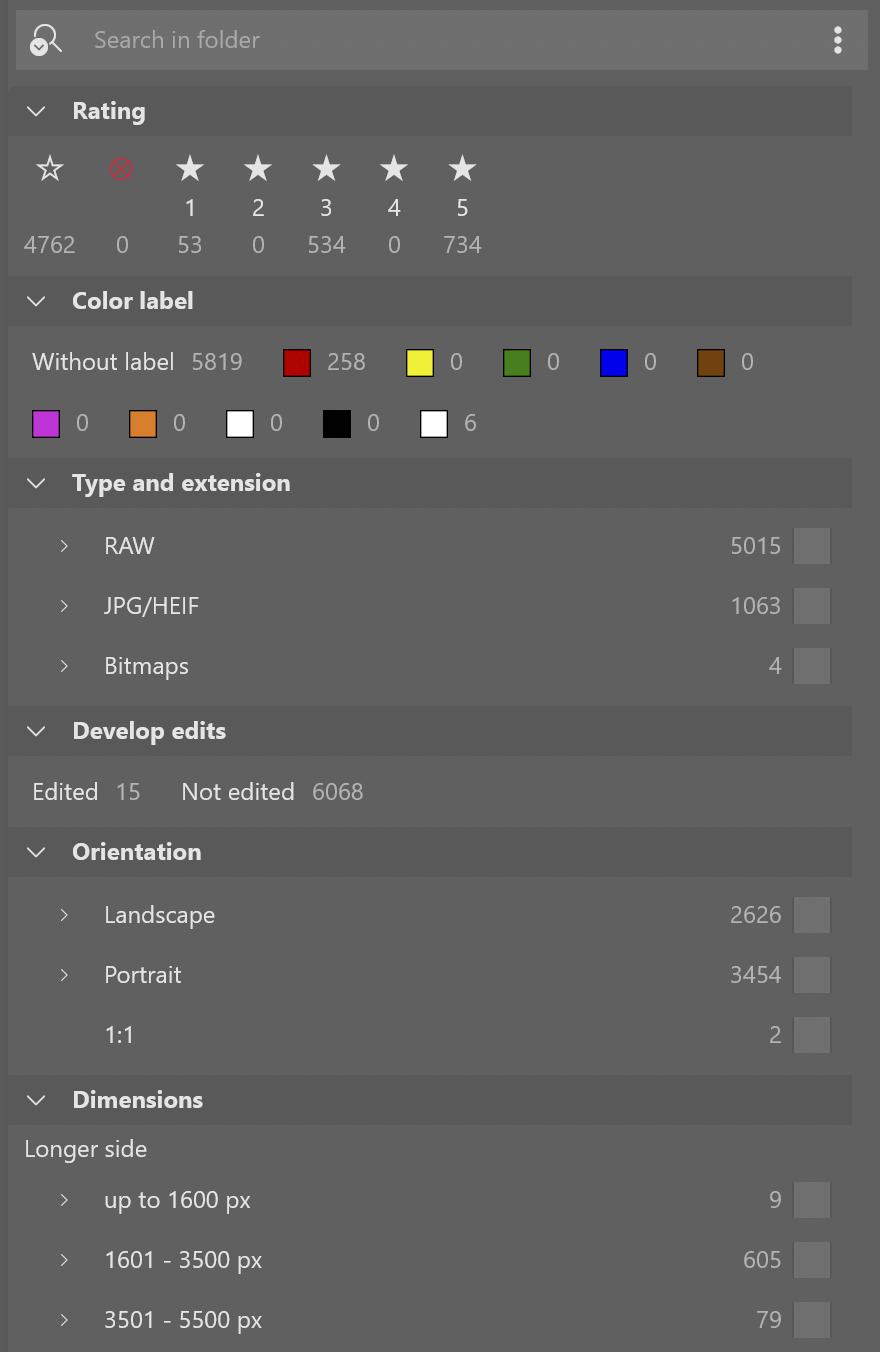
Finding a specific series, shots taken with a certain lens, or even all five-star photos is now much easier.
Search also works outside the Catalog, though its performance is optimized in the Catalog.
Read the guide on how to use the new Search.
Faster retouching of everyday imperfections
Retouching Tools have also undergone a major overhaul.
New Smart Healing simplifies blemish removal. Instead of the complicated process of selecting a source area, you simply mark what you want to remove, and Zoner Studio takes care of the rest.

It works best for blemishes, dust in product photos, or minor distractions in a scene. For routine retouching, it’s a significantly faster way to work than traditional cloning.
Smaller updates that you’ll appreciate
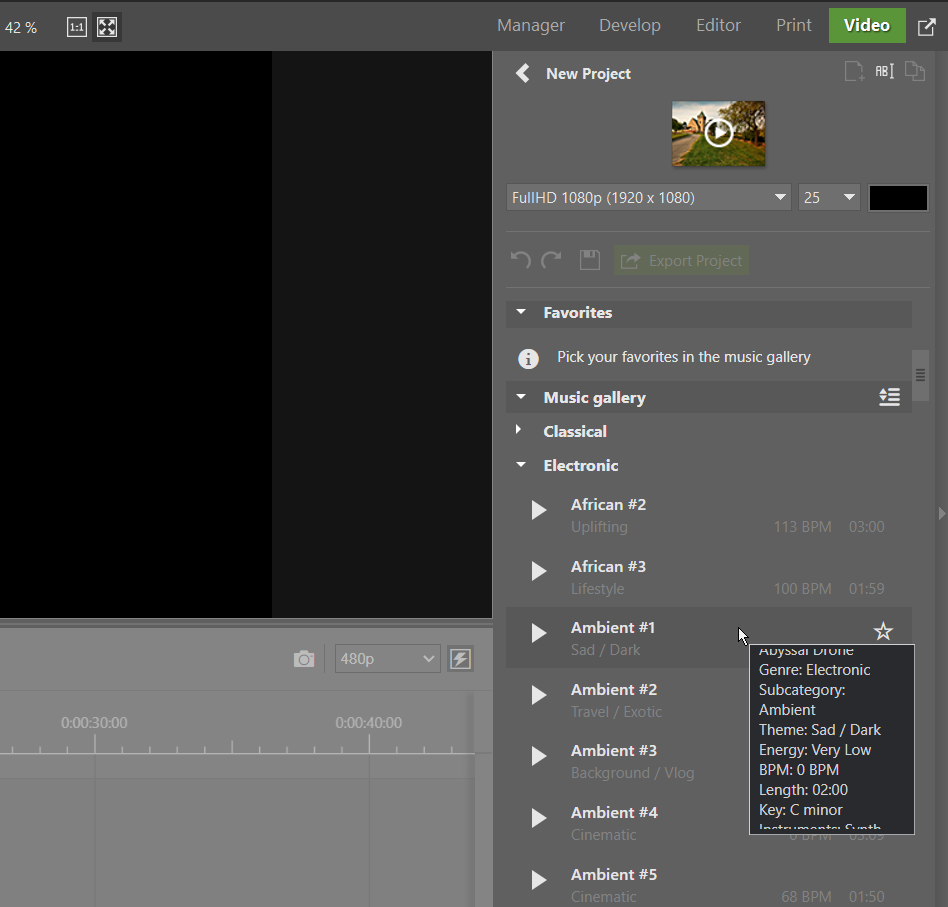
Video creators will also find plenty to like in this summer’s update. The Video module now includes a Music Library with over 500 tracks, which you can add to your slideshows, travel videos, or social media content.
The update also brings improvements to color work. Tools like Saturation, Vibrance, and Tone Curve have been adjusted to behave more consistently and predictably during editing.
The biggest change isn’t a single feature
At first glance, it might seem that the biggest new features are Focus Stacking or Long Exposure simulation. In reality, it’s something else.
Zoner Studio streamlines working with photo series into a single, seamless workflow. Photos are automatically sorted, prepared for stacking, and can be edited without needing to export or switch between programs.
This update is focused on real-world photography. Instead of flashy new features, it introduces tools that solve everyday challenges photographers face when shooting and editing. That’s what makes it one of the most significant updates Zoner Studio has recently introduced.


There are no comments yet.